School structure — Levels & Classes
🎓 Principal
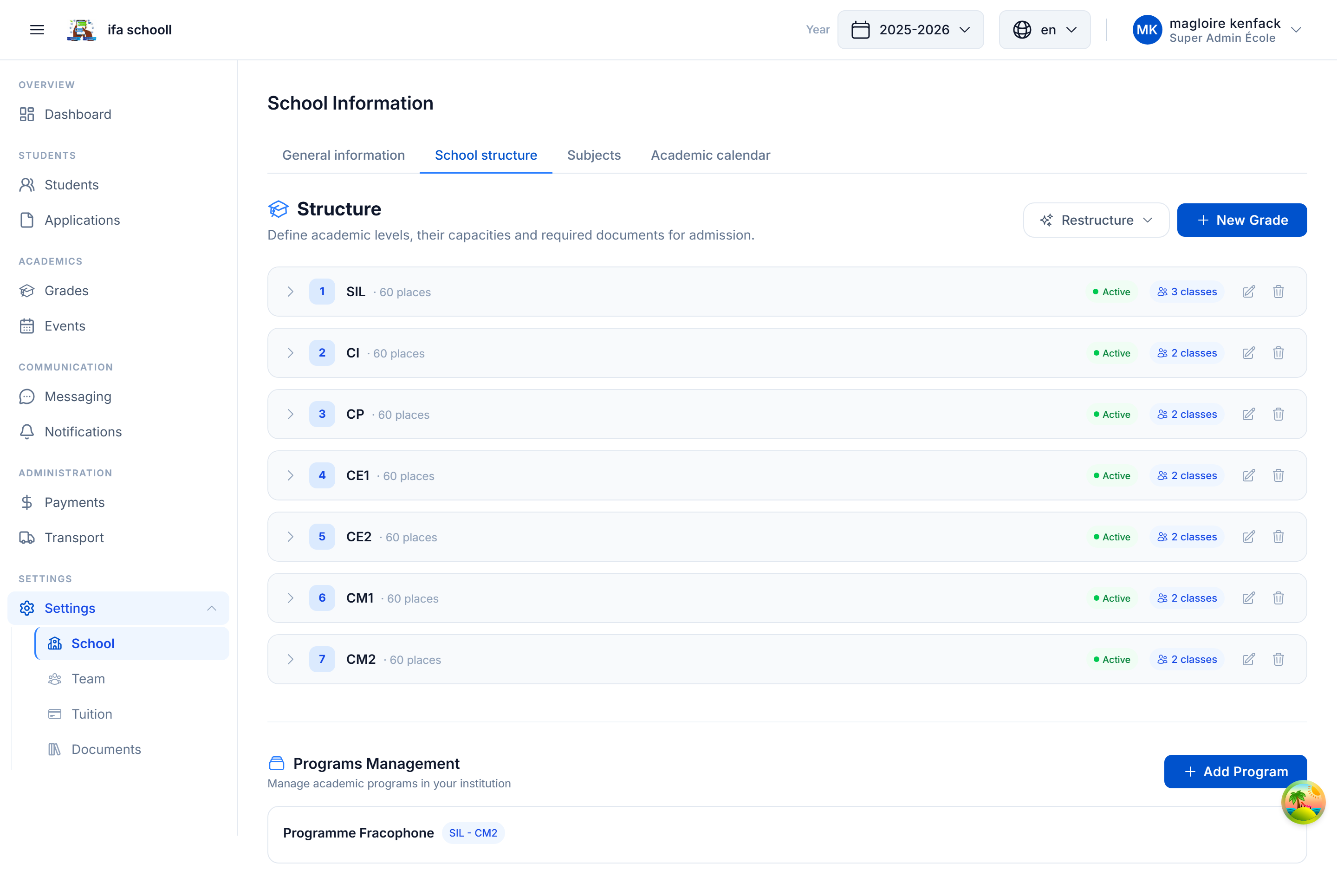
This step configures your school's academic structure: school levels, classes, subjects, and terms. It is one of the most important steps — it underpins all academic management.
3 ways to configure the structure
Option A — Predefined template (recommended, 1 click)
HEMLE provides templates adapted to African school systems:
| Template | System | Levels included |
|---|---|---|
| Francophone - Primary | Cameroonian/Senegalese system | SIL, CP, CE1, CE2, CM1, CM2 |
| Francophone - Secondary | Francophone college | 6e, 5e, 4e, 3e |
| Francophone - High School | Cameroonian lycée | 2nde, 1ère, Tle |
| Anglophone - Primary | Anglophone system | Class 1 → Class 6 |
| Anglophone - Secondary | Form 1 → Form 5 | FSLC/GCE |
| Bilingual | Mixed FR + EN | Adapted classes |
To apply a template:
- Select the template that matches your school
- Review the preview (levels, classes, subjects)
- Click "Apply this template"
The complete structure (levels, classes, subjects, terms) is created in 1 click.
Option B — Import from an Excel file
If your school has a custom structure (specific levels, particular class names):
- Click "Download Excel template" to get the pre-filled file
- Complete the file with your levels, classes and subjects
- Drag and drop the Excel file into the import area
- Review the preview (dry-run — nothing is applied yet)
- Click "Apply" to confirm
Option C — Skip and configure manually
You can skip this step during onboarding and configure the structure manually later from:
Settings → School information → Academic structure
What a complete structure contains
School
└── Level (e.g. Class 6, Form 3)
    ├── Classes (e.g. Class 6A, Class 6B)
    └── Subjects (e.g. Mathematics, English, Sciences)
        └── Terms / Sequences (T1, T2, T3 / Seq 1 to 6)
Import in REPLACE vs MERGE mode
When importing or applying a template:
- REPLACE — replaces the entire existing structure (use only at startup)
- MERGE — adds missing elements without deleting existing ones (for updates)
→ Next step: Tuition fees