Academic year
🎓 Principal
Define the dates of your current academic year. This configuration is required before assigning students to classes and entering grades.
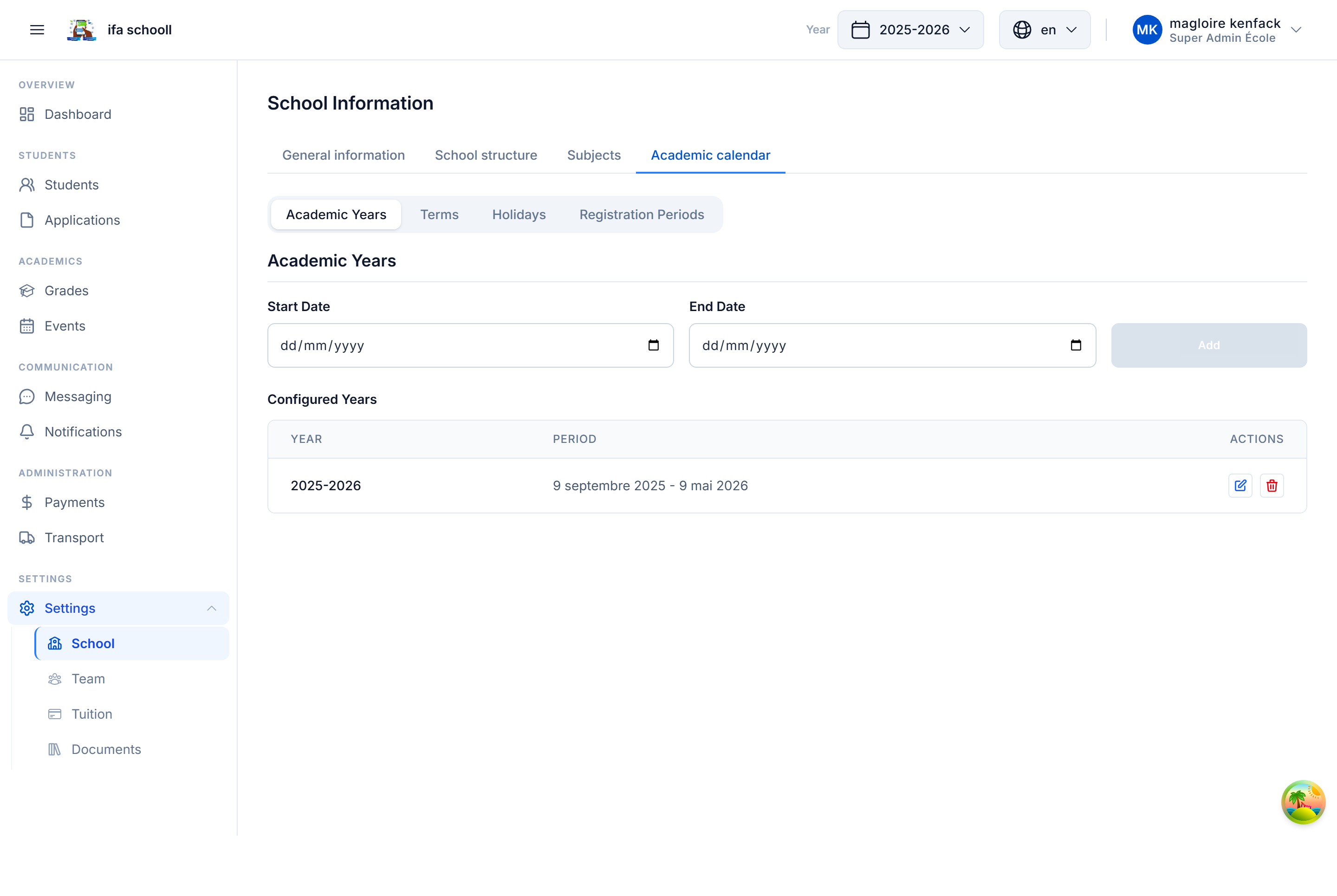
Fields to fill in
| Field | Description | Example |
|---|---|---|
| Academic year start | Opening date of classes | 01/09/2024 |
| Academic year end | Closing date of classes | 30/06/2025 |
What this enables
Once the academic year is created:
- Students can be enrolled and assigned to a class in this year
- Teachers can enter grades and attendance
- Tuition fees are linked to this period
- Year-end closure will be possible at the end of the school year
Year name
The year name (e.g. "2024-2025") is automatically generated from the dates. You can customise it from Settings → School information.
Multiple academic years
HEMLE supports multiple academic years. Each school has one CURRENT year (active), and keeps PAST years for archive consultation.
During year-end closure, you will designate the new active year for student transitions.
Terms and sequences
Terms (Term 1, Term 2, Term 3) and sequences (Sequence 1, 2, etc.) are configured in the academic structure from Settings → School information → Academic structure.
→ Next step: School structure